Verified visibility for Linux servers
Lynx eyes for your Linux servers.
atalince reads the logs, detects the attack, blocks it in the kernel firewall, and only says it blocked after checking.
- Ubuntu
- /Debian
- /AlmaLinux
- /Rocky
- /amd64 · arm64
- /outbound HTTPS only
- 14:31:08 UTC203.0.113.42SSH brute force48×block verified
- 14:30:21 UTC198.51.100.17URL SQL injection16×block verified
- 14:29:36 UTC198.51.100.204Port scan15×logged
- 14:28:42 UTC203.0.113.89FTP brute force12×block verified
- 14:27:55 UTC192.0.2.77Sensitive file probe6×block verified
- 14:26:30 UTC198.51.100.61Database brute force64×awaiting confirmation
- 14:24:16 UTC203.0.113.150SSH invalid user22×block verified
- 14:22:47 UTC192.0.2.191Mail brute force31×block verified
01The problem
Seeing an attack is easy. Proving you're protected is not.
Every server with SSH open gets login attempts. Blocking tools usually apply a rule and move on, without coming back to check that it is still there.
atalince treats every number as something that needs evidence. If an agent stops talking, the dashboard says so. If a sensor isn't reading, the dashboard says so. And if a block can't be proven, it shows up as unknown.
- Communication
- from each agent, with explicit freshness.
- Sensor
- reading the right sources, or flagged.
- Protection
- confirmed by the agent, never assumed.
02Verified protection
An applied block is not a verified block.
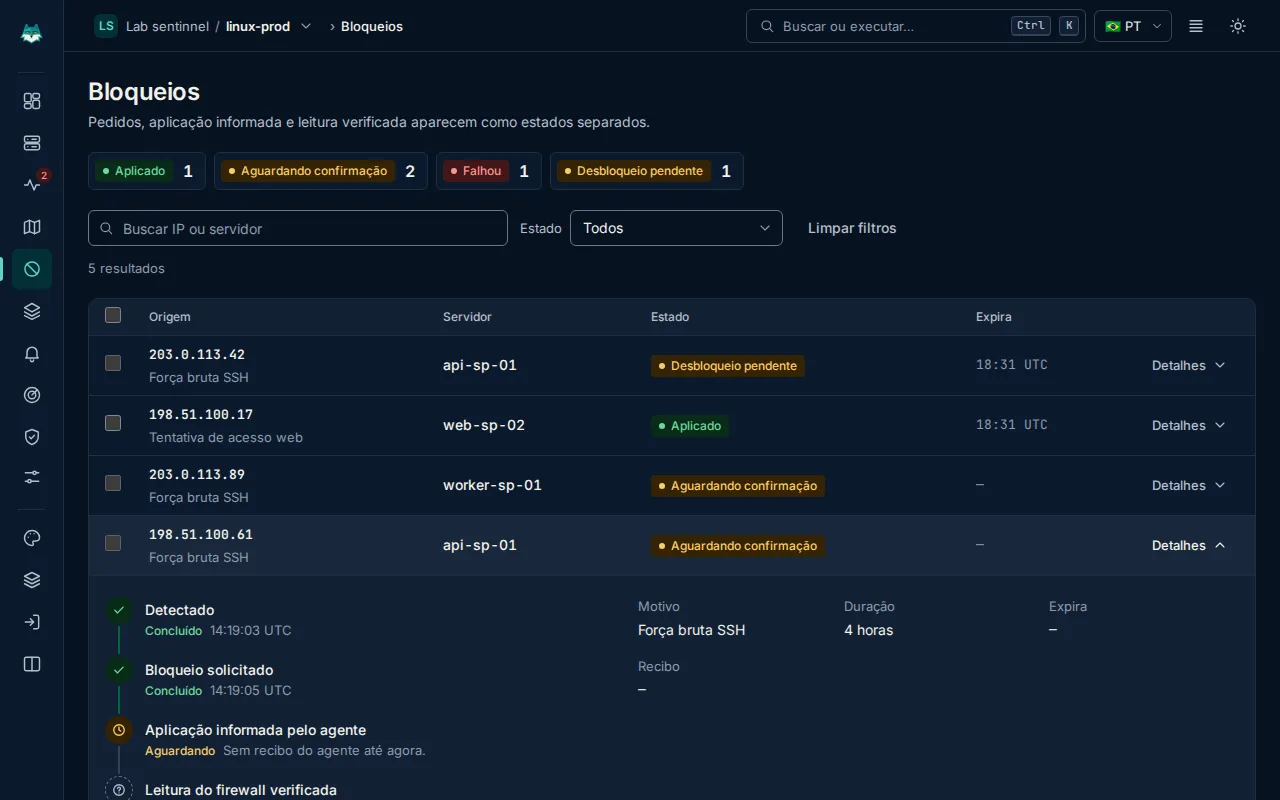
Request, reported application and firewall read are different states. atalince shows each one separately and only calls verified what it read back from the kernel.
Detected
The detector reads the log and identifies the attack. · 14:19:03 UTC
Block requested
The dashboard asks that server's agent to block. · 14:19:05 UTC
Applied, reported by agent
The agent applies it to the firewall and sends a receipt. · 14:19:06 UTC
Firewall read verified
A kernel read confirms the rule is there. · 15:00:00 UTC
No evidence; this is not success.
When the receipt or the read is missing, the state stays unknown. The dashboard never rounds up.
03How it works
One command. A few seconds. No open ports.
The agent is a single Go binary running as a systemd service. All it needs is outbound HTTPS on port 443.
- 01
Install
Paste the command with the single-use token. The server shows up in the list within seconds.
- 02
Observe
Every server starts in Monitor only: it detects attacks but doesn't block yet.
- 03
Protect
Add your IP to the allowed IPs and turn on protection mode. Every block goes through the verification trail.
$ curl -fsSL https://get.sentinnel.com.br/install.sh | sudo bash -s -- --token <TOKEN>
→ checking system: Ubuntu 24.04 · amd64 · iptables-nft
→ downloading atalince-agent (ed25519 signature checked)
→ systemd service installed and started
✓ connected · mode: Monitor only
04Product
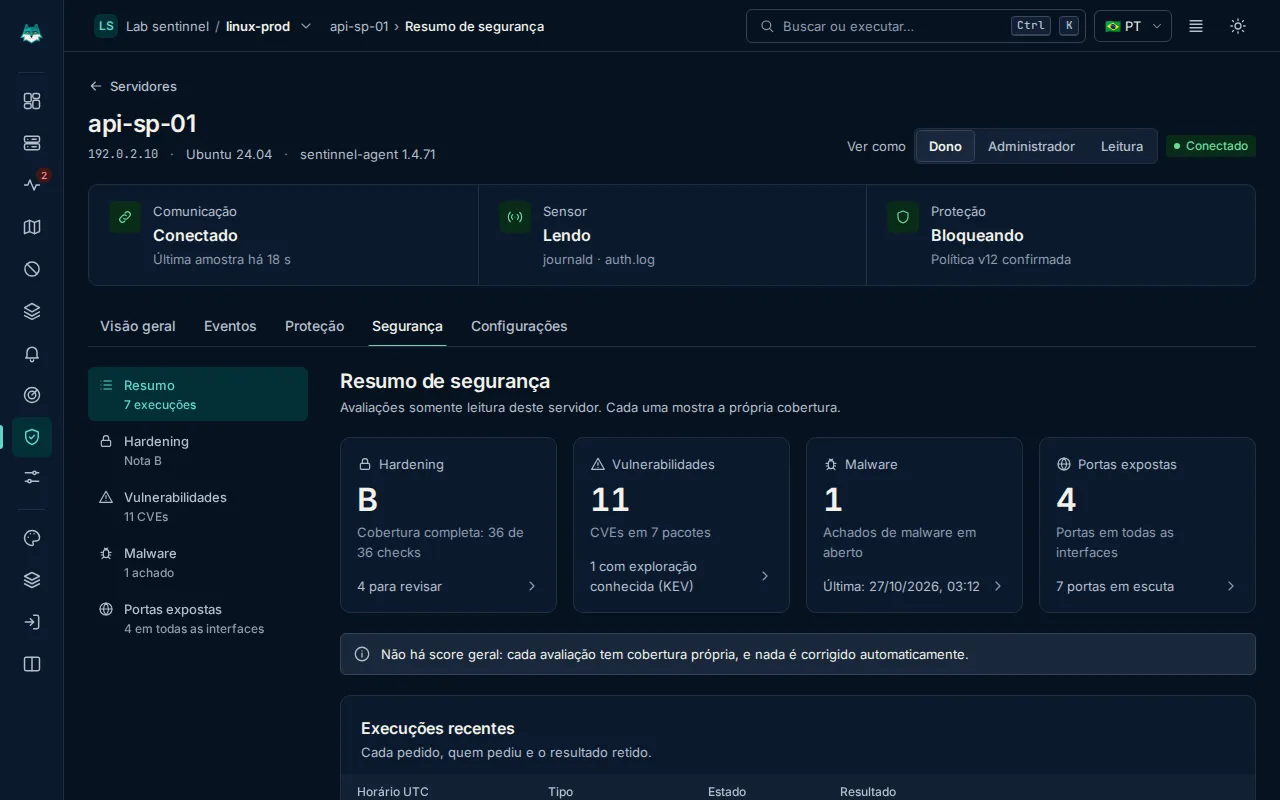
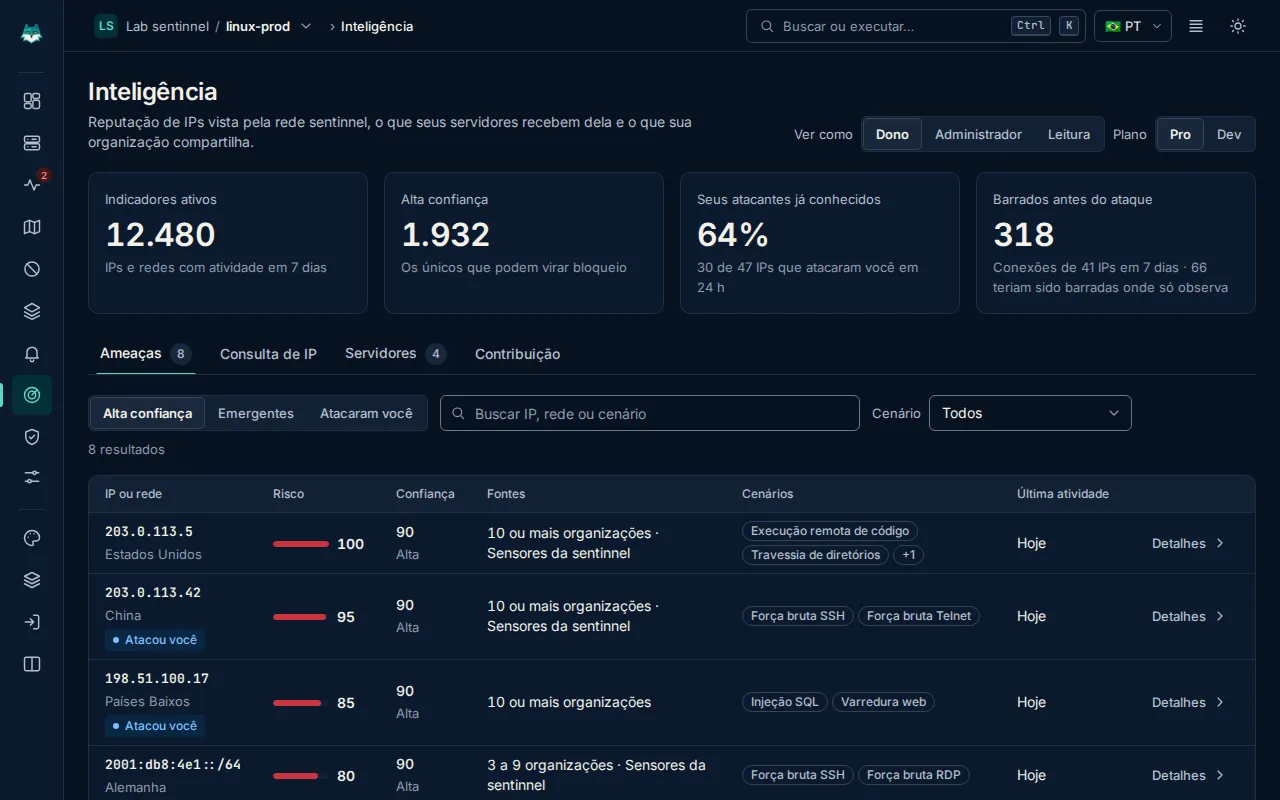
Five areas, one dashboard.
From the raw log to the decision: what happened, where, and what was done about it.
Product overview →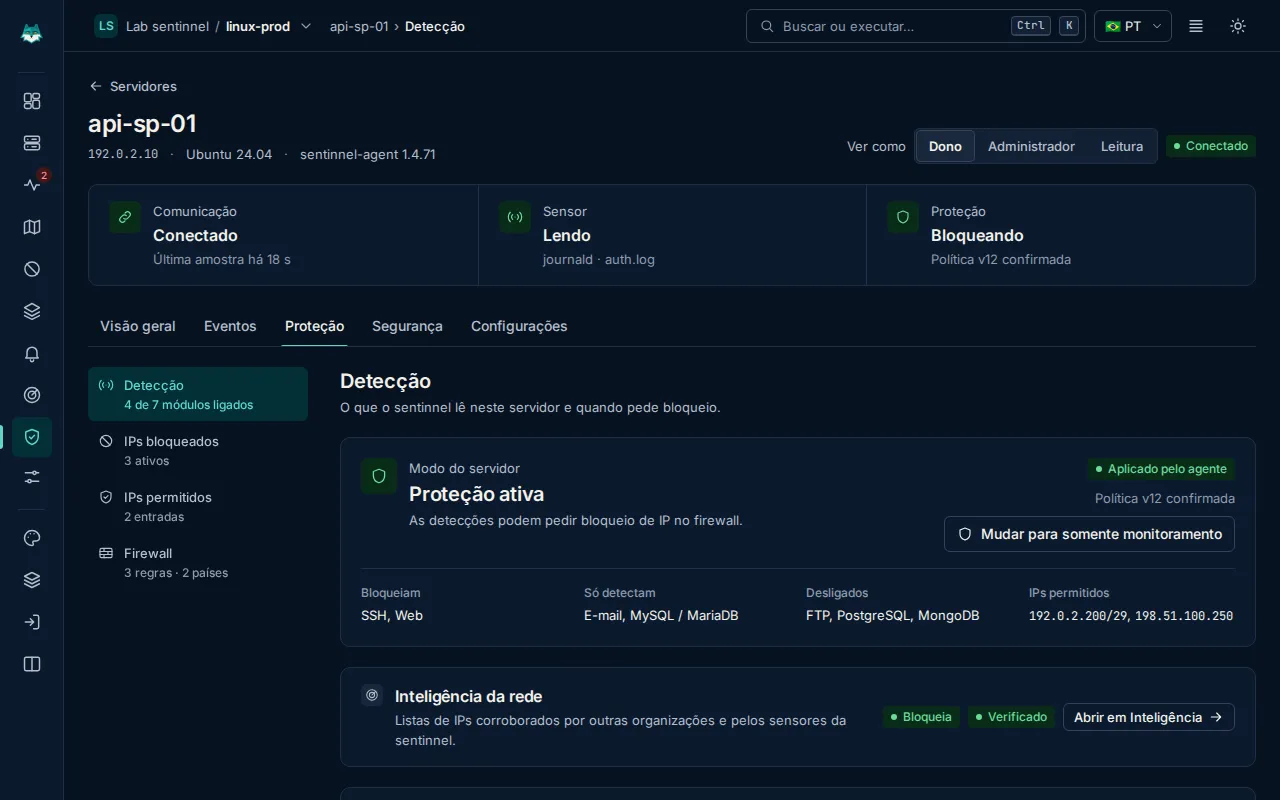
05Attack map
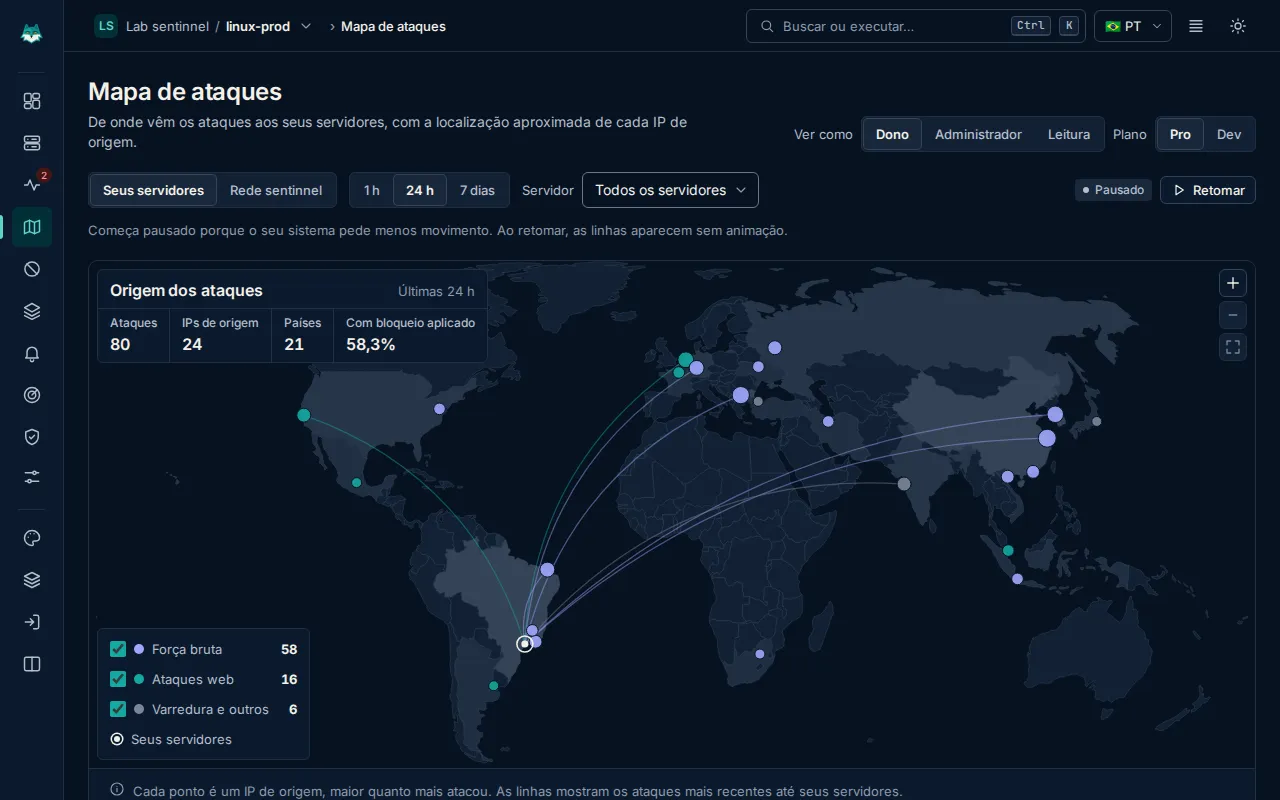
Where the attacks on your servers come from.
Each dot is a source IP, bigger the more it attacked. The lines show the most recent attacks reaching your servers.
06Pricing
Priced per server. No surprises.
Both plans detect, block and verify. Pro adds malware, geoblocking, fleet and more alert channels.
Dev
R$9.90per server/month
- Detection, events and dashboard
- Automatic and manual blocking, allowed IPs and rules
- Hardening and CVE inventory
- Alerts in the dashboard and by email
Pro
7 days trialR$24.90per server/month
- Everything in Dev
- Malware scanning and quarantine
- Geoblocking, server groups and fleet blocks
- Full attack map, Slack, Telegram and webhook
7-day Pro trial on 1 server, no card.
Founders program
Use atalince from the start.
Pro features for up to 3 servers, free of charge, for 12 months. Every application is reviewed by the team.
07Blog
Field notes.
November 6, 2026 · 2 min read
An applied block is not a verified block
Why atalince separates request, application and firewall read, and what can wipe a rule without anyone noticing.
October 30, 2026 · 2 min read
Why atalince starts in Monitor only
Every new server watches before it blocks. The reasons, and what to do in those first minutes.
October 24, 2026 · 2 min read
The 12 SSH checks in atalince's hardening
What each sshd directive checks, why it matters and how to see the value that is actually in effect.